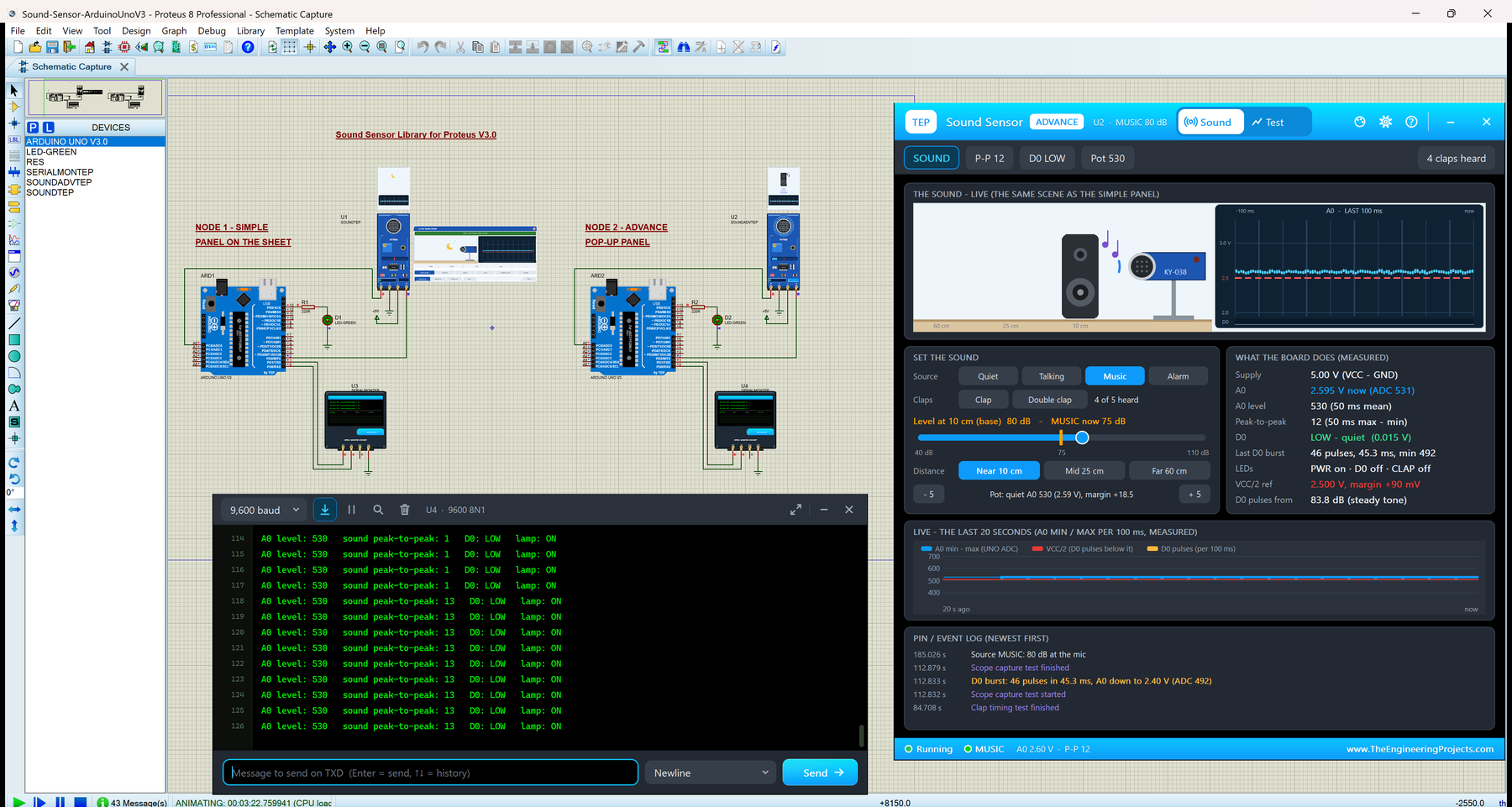
Hello friends, I hope you all are doing great. Today, I am going to share the new Sound Sensor Library for Proteus V3.0. The KY-038 is the small blue sound sensor module with a microphone, a sensitivity pot and an LM393 comparator. Its A0 output carries the microphone's sound wave, and its D0 output pulses when a sound is loud enough. With this Sound Sensor Library for Proteus, you pick the sound, its distance and the pot, and your Arduino reads A0 and D0 exactly as it would on a real board. We shared earlier versions of a sound sensor library before; version 3.0 is a new model with its own parts and files. You get two devices: Sound Simple with a scene panel on the schematic, and Sound Advance with a pop-up window and four measured sound test tools. The demo is a clap switch on two Arduino UNOs, shown in the compact Simple interface of our TEP Serial Monitor. NOTICE: This library is very special to our team. Our KY-038 model is a real analog part in Proteus's SPICE simulator, and every number on its panels is measured from the A0 and D0 node voltages while your Arduino runs. It took our team a lot of hard work, many test runs and many design changes. Your feedback is the fuel that keeps us going, so please tell us what you think in the comments below or in the Sound Sensor Library board of our forum. And if our free libraries help you, you can buy us a coffee. So, let's get started with the Sound Sensor Library for Proteus: The KY-038 is a small sound sensor module, about 35 ...
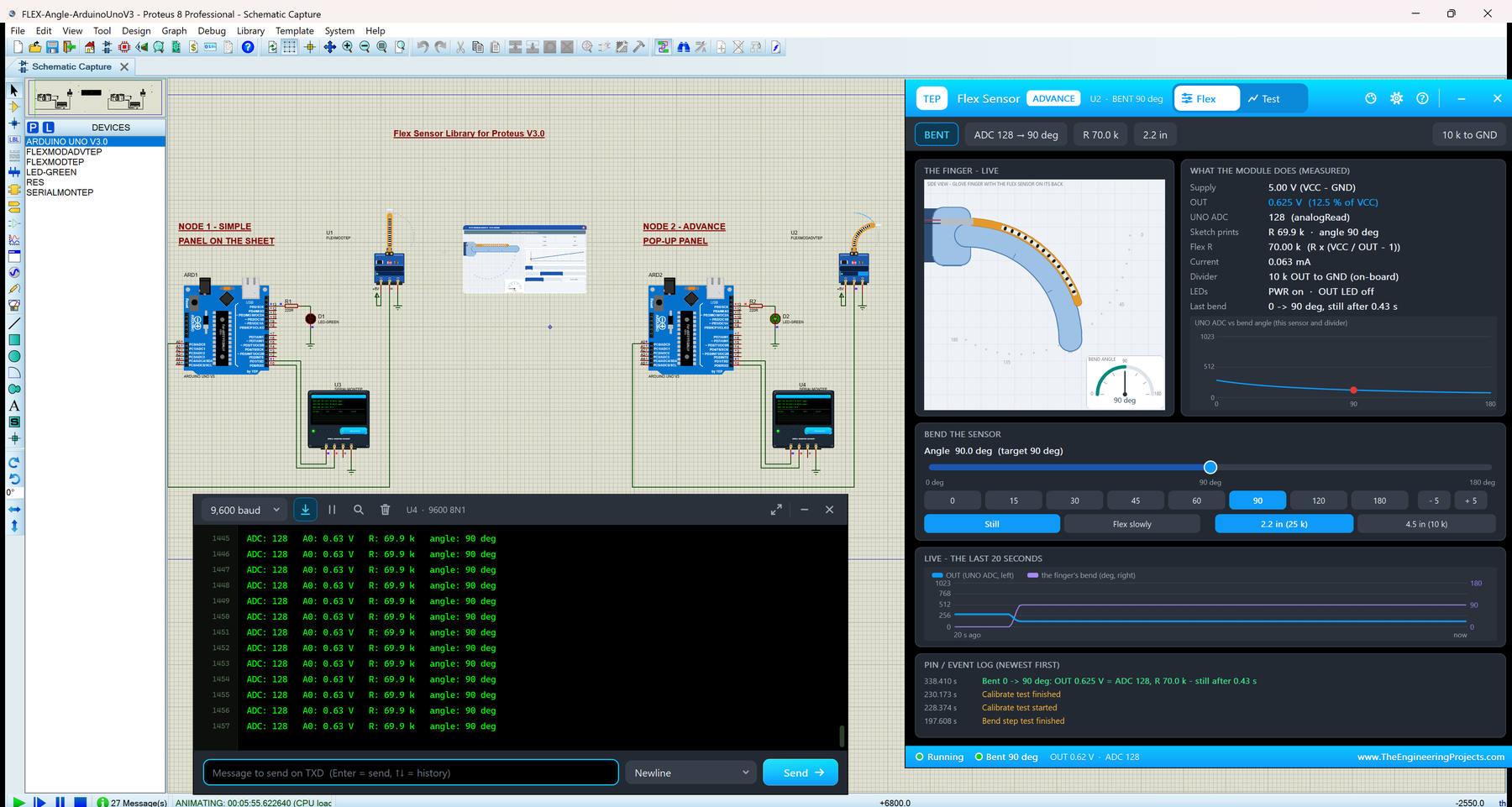
Hello friends, I hope you all are doing great. Today, I am going to share the new Flex Sensor Library for Proteus V3.0. A flex sensor is a thin plastic strip whose resistance rises when you bend it. You find it in data gloves, robot hands and game controllers, because it turns the bend of a finger into a number. With this Flex Sensor Library for Proteus, the sensor looks like the amber strip you buy, it bends right on your Proteus sheet while the simulation runs, and your Arduino reads it on A0 with analogRead(), exactly as on real hardware. Version 3.0 is the next version of our flex sensor library, after the earlier versions V1.0 and V2.0. You get three devices: the bare flex strip, a Flex Sensor Module Simple with a live panel on the schematic, and a Flex Sensor Module Advance with a pop-up window and four measured flex sensor test tools. The new Flex Sensor Arduino Proteus demo runs on two Arduino UNOs, shown in the compact Simple interface of our TEP Serial Monitor. NOTICE: This library is very special to our team. Our flex sensor is a real analog resistor inside Proteus's SPICE simulator, the strip itself bends on your sheet, and the Advance window measures your circuit with four test tools. It took our team a lot of hard work, many test runs and many design changes. Your feedback is the fuel that keeps us going, so please tell us what you think in the comments below or in the Flex Sensor Library board of our forum. And if our free libraries help you, you can buy us a ...
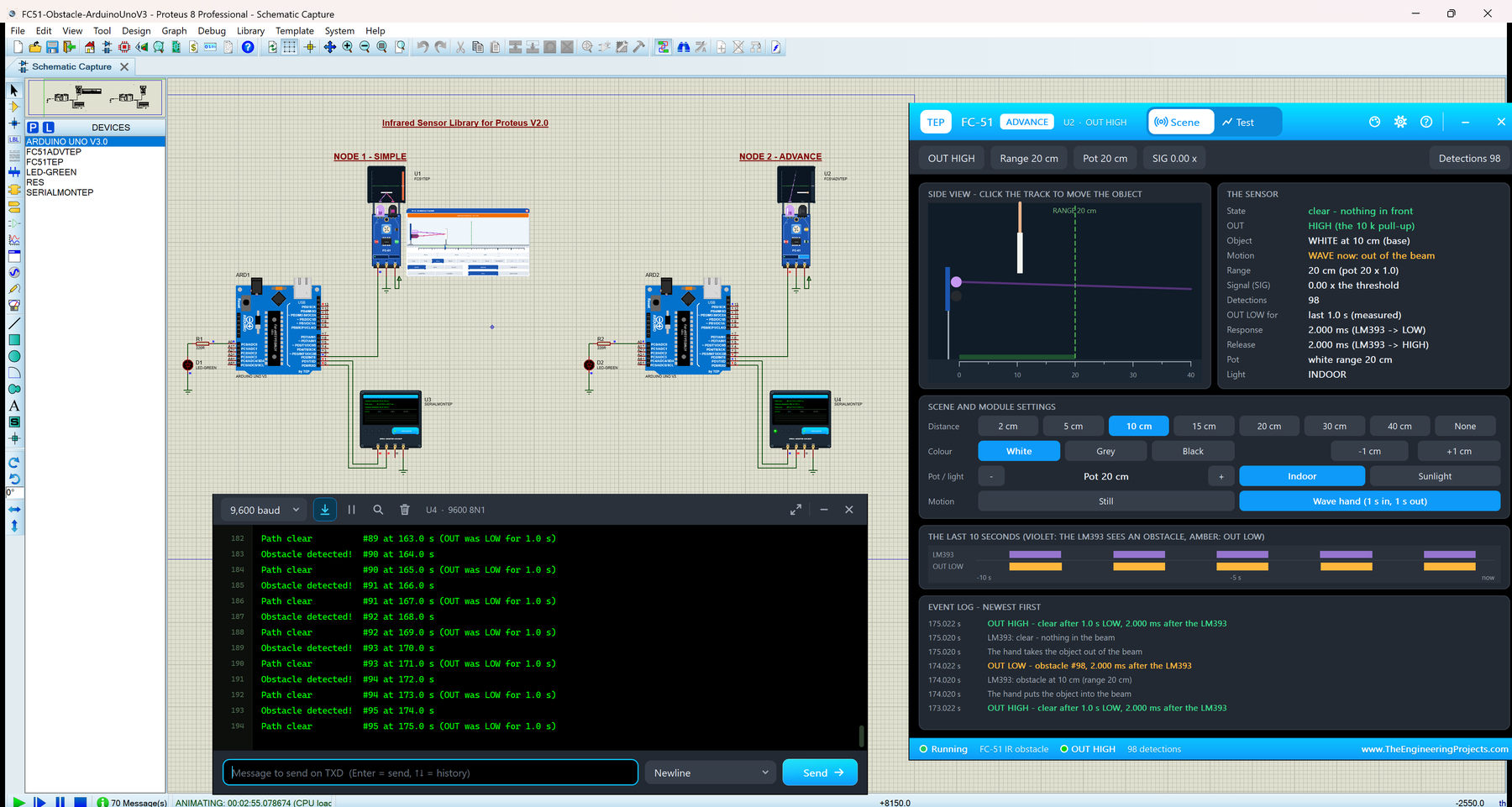
Hello friends, I hope you all are doing great. Today, I am going to share the new Infrared Sensor Library for Proteus V2.0. It simulates the FC-51 IR obstacle sensor, the small blue board with a clear IR LED and a dark photodiode at one end, which tells your Arduino with a single pin whether something is in front of it. With this Infrared Sensor Library for Proteus, you place the object yourself (its distance, its colour, indoor light or sunlight, even a waving hand), and your Arduino reads the OUT pin exactly as it reads the real module. We have shared infrared sensor libraries for Proteus before, and version 2.0 is a big step forward. You now get two devices: FC-51 Simple, with an animated scene panel on the schematic, and FC-51 Advance, with a pop-up window, an event log and four measured IR sensor test tools. The board itself has a live IR VIEW screen, and the new FC-51 Arduino Proteus demo runs on two Arduino UNOs with our TEP Serial Monitor, shown here in its compact Simple interface. NOTICE: This library is very special to our team. Our FC-51 model has the whole decision of the real module: the IR reflection against the threshold of the pot, dark objects seen much closer, the false trigger in sunlight, and the response delay of the LM393 with its filter. On top of that, it keeps an event log and measures every edge on the OUT pin. It took our team a lot of hard work, many test runs and many design changes. Your feedback is the fuel that keeps us going, so please tell ...
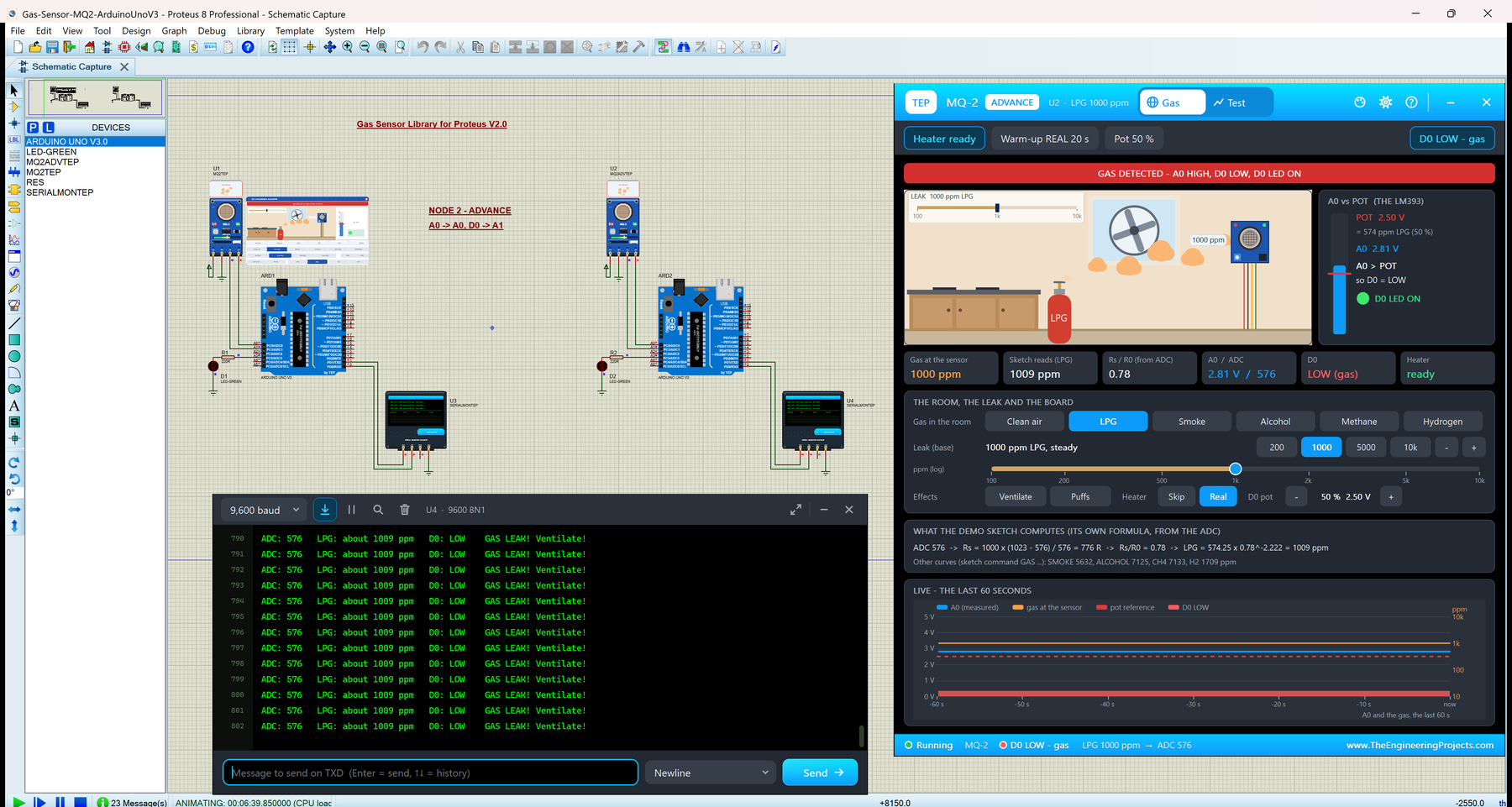
Hello friends, I hope you all are doing great. Today, I am going to share the new Gas Sensor Library for Proteus V2.0. It simulates the popular MQ-2 gas sensor module: the MQ-2 sensor in its steel mesh cap on the small blue board with the LM393 comparator. With this Gas Sensor Library for Proteus, you fill a little kitchen with LPG, smoke, alcohol, methane or hydrogen, and your Arduino reads the MQ-2's analog output A0 and its digital output D0, just like on a real board. We have published gas sensor libraries for Proteus before, but version 2.0 is a completely new model. A0 is now a real analog voltage that follows the datasheet curves, the heater has to warm up like a real one, and the gas reaches the sensor with a lag, so your sketch sees the same slow, curved response as on real hardware. You get two devices, MQ-2 Simple with a gas scene on the schematic and MQ-2 Advance with a pop-up window and four measured gas sensor test tools, and a two-UNO MQ-2 Arduino Proteus gas leak alarm shown in the compact Simple interface of our TEP Serial Monitor. NOTICE: This library is very special to our team. Our MQ-2 model is an analog model: the sensor's resistance follows the datasheet curves of five gases, the board's own divider makes A0, the LM393 makes D0, the heater warms up and the gas reaches the sensor with a real lag. It took our team a lot of hard work, many test runs and many design changes. Your feedback is the fuel that keeps us going, so please tell us what you think in ...
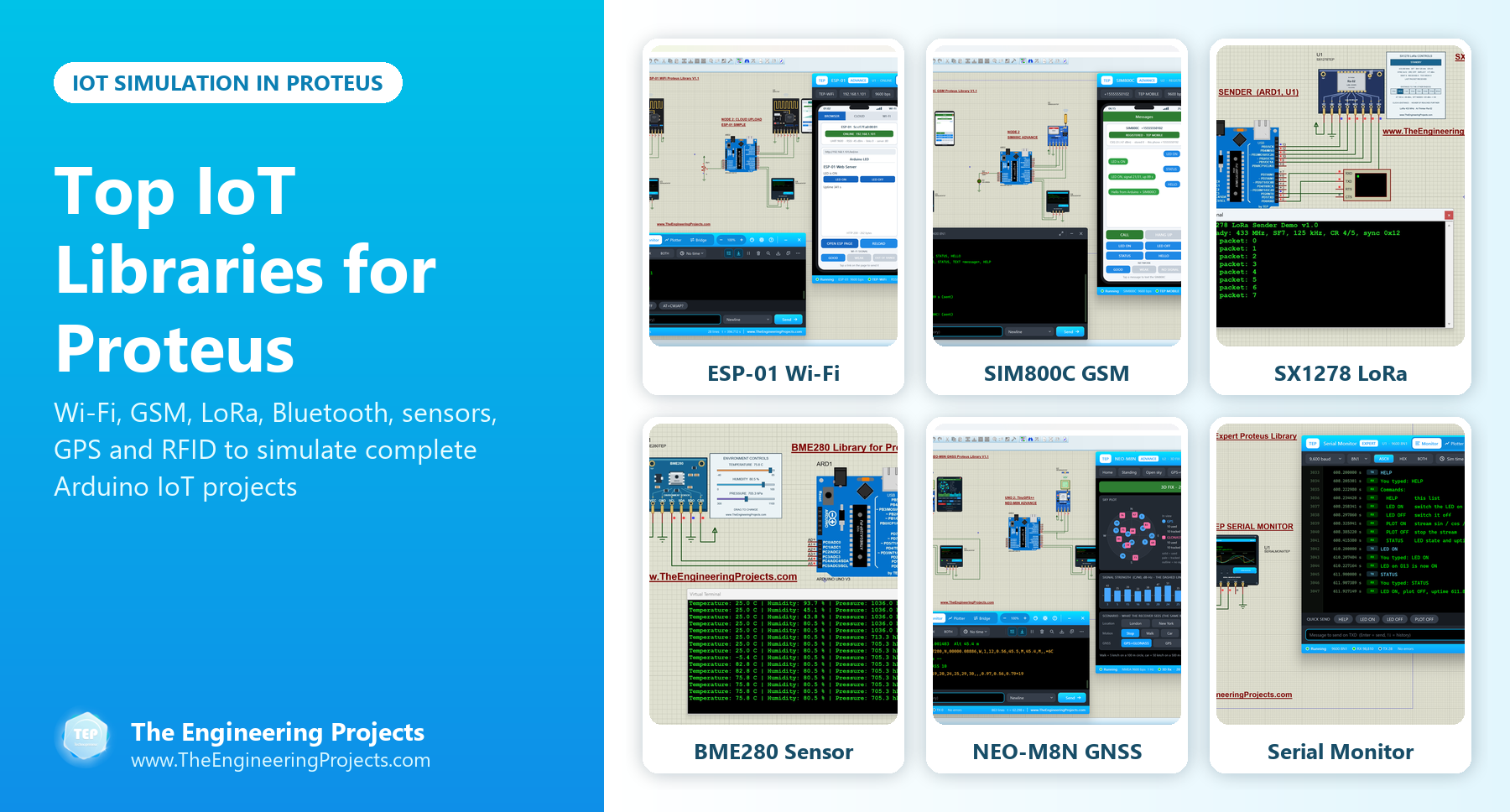
Hello friends, I hope you all are doing great. Today, I am going to share a list of the Top IoT Libraries for Proteus. The Internet of Things (IoT) is the most popular topic for final year projects right now: smart homes, smart farms, weather stations, trackers and health monitors that send their data to a phone or a cloud dashboard. Every one of these projects is made of the same building blocks: sensors that measure something, a microcontroller that decides what to do, and a wireless module that sends the result somewhere. Our team has designed Proteus libraries for all of these building blocks. In this list, I have picked the libraries that matter most for IoT and grouped them by the job they do in your project: connectivity, sensing, location, identification and debugging. So, instead of a long catalogue, you get a toolkit: choose one module from each group, connect them to an Arduino and you have the simulation of a complete IoT project. Our new 2026 libraries come first in every group, and our older IoT boards are at the end. I have also added a few IoT project ideas that you can build from these libraries. If you are new to Proteus libraries, read How to Add New Library in Proteus 8 first. So, let's get started with the Top IoT Libraries for Proteus: Here is how the libraries of this list fit together in a typical IoT project: The connectivity module is the heart of an IoT project, so let's start with it. The ESP-01 is the classic way to put an Arduino on Wi-Fi. Our ...
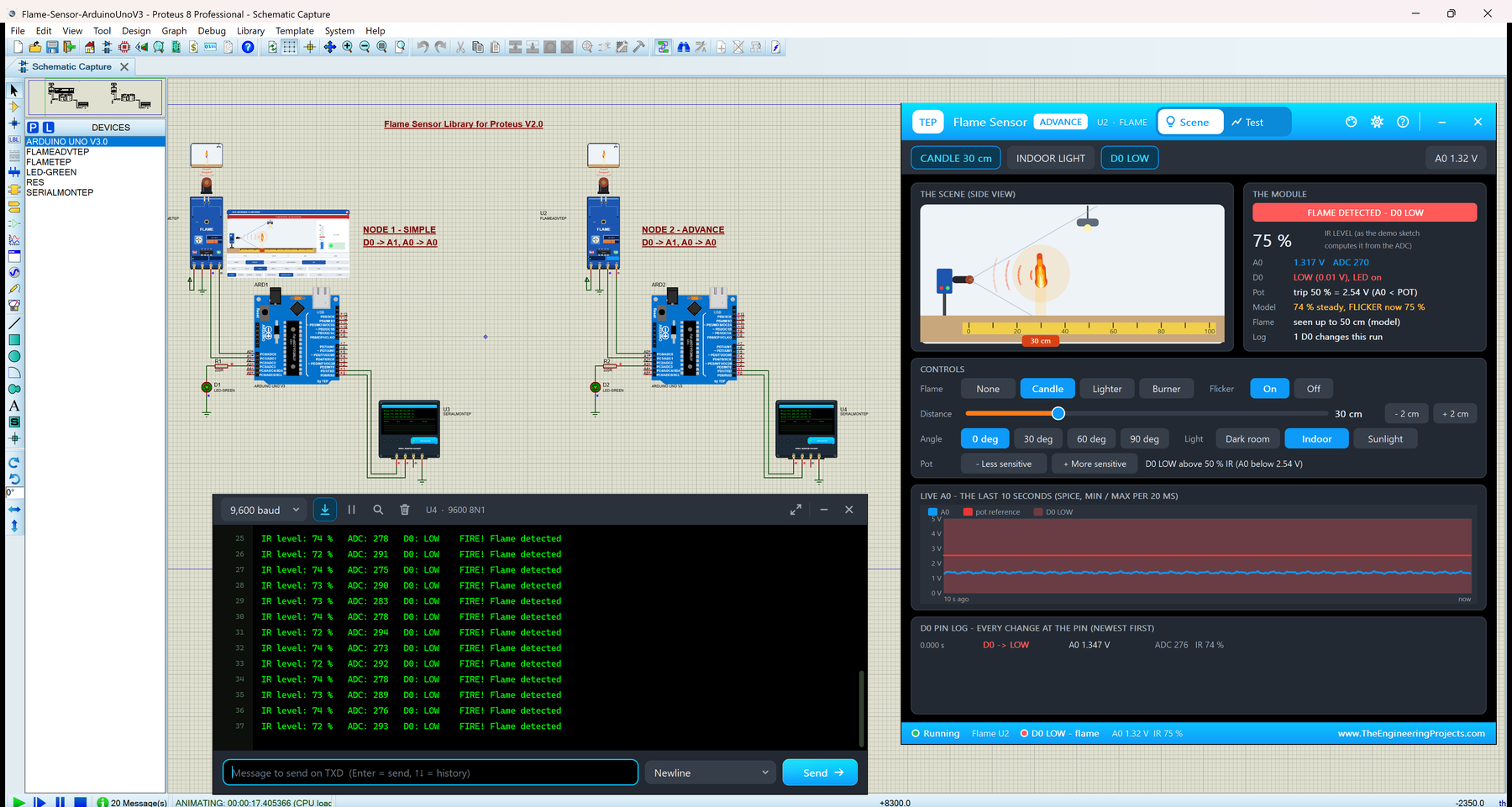
Hello friends, I hope you all are doing great. Today, I am going to share the new Flame Sensor Library for Proteus V2.0. The flame sensor is the small blue module with a black infrared receiver on long legs: it sees the infrared light of a flame and tells your Arduino about it through an analog output (A0) and a digital output (D0). With this Flame Sensor Library for Proteus, you light a candle, a lighter or a gas burner in the simulation, move it closer or turn the sensor away, switch on the sun, and your Arduino reads the module just as it reads a real one, with analogRead() and digitalRead(). We shared earlier versions of a flame sensor library for Proteus before. Version 2.0 is a completely new model with its own files: the sensor is now a real analog part in the SPICE simulator of Proteus, and you get two devices: Flame Simple, with a live scene panel on the schematic, and Flame Advance, with a pop-up window and four measured flame sensor test tools. The new Flame Sensor Arduino Proteus demo is a fire alarm on two Arduino UNOs, shown in the compact Simple interface of our TEP Serial Monitor. NOTICE: This library is very special to our team. Our flame sensor is a real analog part: the board's A0 divider and the LM393's open-collector D0 output are node voltages in the SPICE simulator of Proteus, with a flickering flame, a flame that grows when you light it, the receiver's 60 degree view and the sunlight that fools the real module. It took our team a lot of hard work, many ...
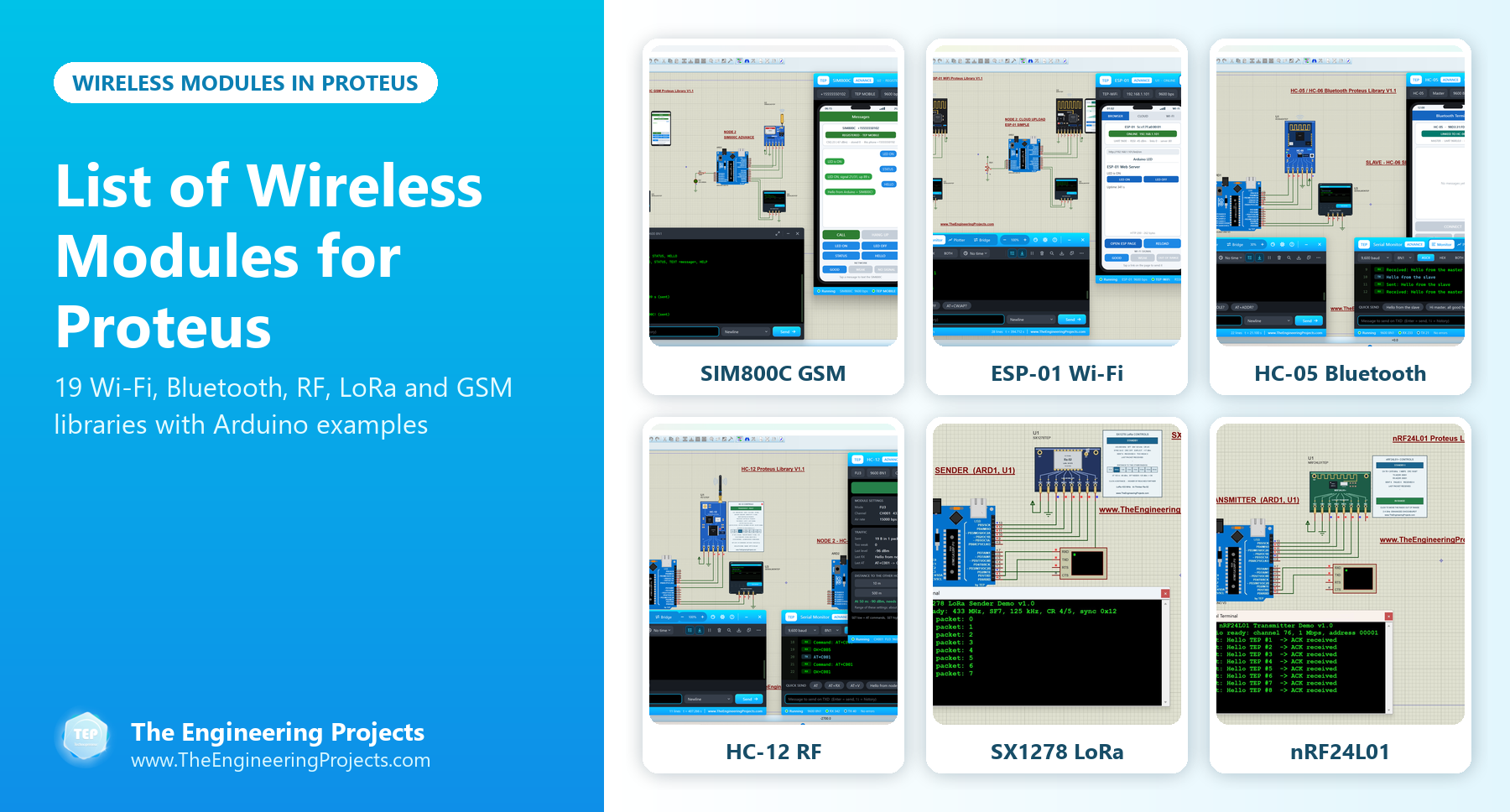
Hello friends, I hope you all are doing great. Today, I am going to share a complete List of Wireless Modules for Proteus. Wireless is the one thing almost every final year project needs: a phone app over Bluetooth, a web page over Wi-Fi, an SMS alert over GSM, or two Arduino boards talking over RF or LoRa. Proteus doesn't have these modules in its own component library, so our team has designed them one by one, and today I have collected all 19 of our wireless libraries in one place. The choice of a wireless module decides how far your data can go, how fast it travels and whether you need a router or a SIM card. That's why I have grouped this list by technology and added a comparison table, so you can pick the right module before you look at the details. Each entry has a short introduction, the picture of its simulation and a link to its complete tutorial. Our new 2026 libraries come first, starting with GSM, Wi-Fi and Bluetooth, followed by RF and LoRa. Our older wireless libraries are at the end of the list. If you are new to Proteus libraries, read How to Add New Library in Proteus 8 first. So, let's get started with the List of Wireless Modules for Proteus: Before we go through the modules, here is how the five technologies of this list differ. The ranges are typical values for real modules and depend on antennas, walls and settings. The quad-band SIM800C on its blue HW-537 board stays off until its PWX power key is held LOW, and our model does the same. After that, it ...
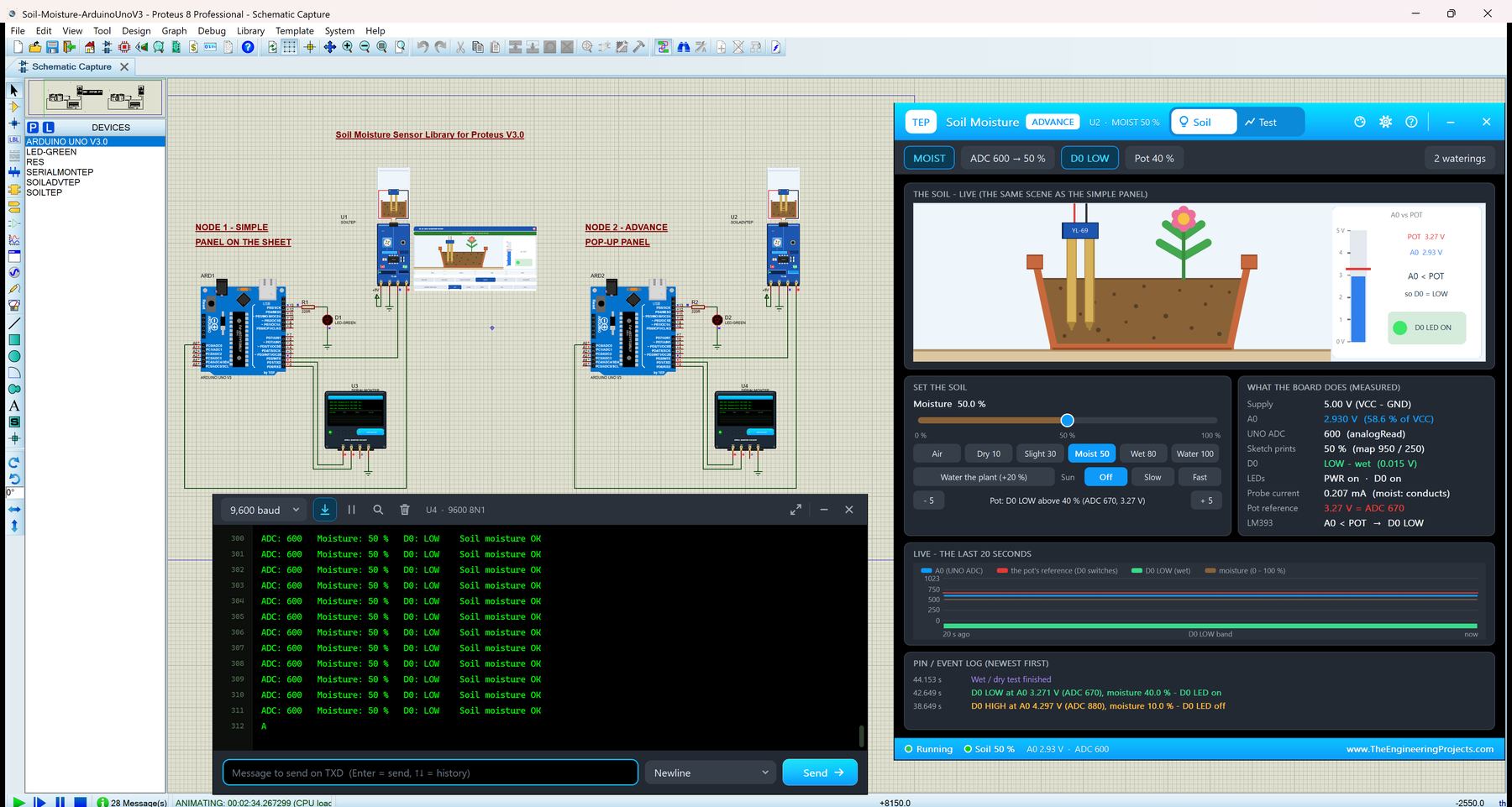
Hello friends, I hope you all are doing great. Today, I am going to share the new Soil Moisture Sensor Library for Proteus V3.0. The soil moisture sensor is one of the first sensors students use in a garden or agriculture project: a YL-69 fork probe that you push into the soil, and the blue FC-28 board with an LM393 comparator that gives an analog output (A0) and a digital output (D0). With this Soil Moisture Sensor Library for Proteus, you set the soil with a click, water the plant, let the sun dry it, and your Arduino reads A0 with analogRead() and D0 with digitalRead(), just like on a real board. Version 3.0 is the next version of our soil moisture library for Proteus, and it is built around an analog model: the board is made of real resistances inside Proteus's SPICE simulator, so A0 is a real voltage. You get two devices: Soil Simple, with an animated scene panel on the schematic, and Soil Advance, with a pop-up window and four measured sensor test tools. The new soil moisture sensor Arduino Proteus demo runs on two Arduino UNOs with a pump LED and calibration commands, shown in the compact Simple interface of our TEP Serial Monitor. NOTICE: This library is very special to our team. Our soil moisture model runs inside Proteus's analog SPICE simulator: the probe, the board's divider, the LM393's open-collector output and its pull-up are real resistances, and D0 switches at the moment A0 crosses the pot's voltage, even in the middle of watering. It took our team a lot of ...
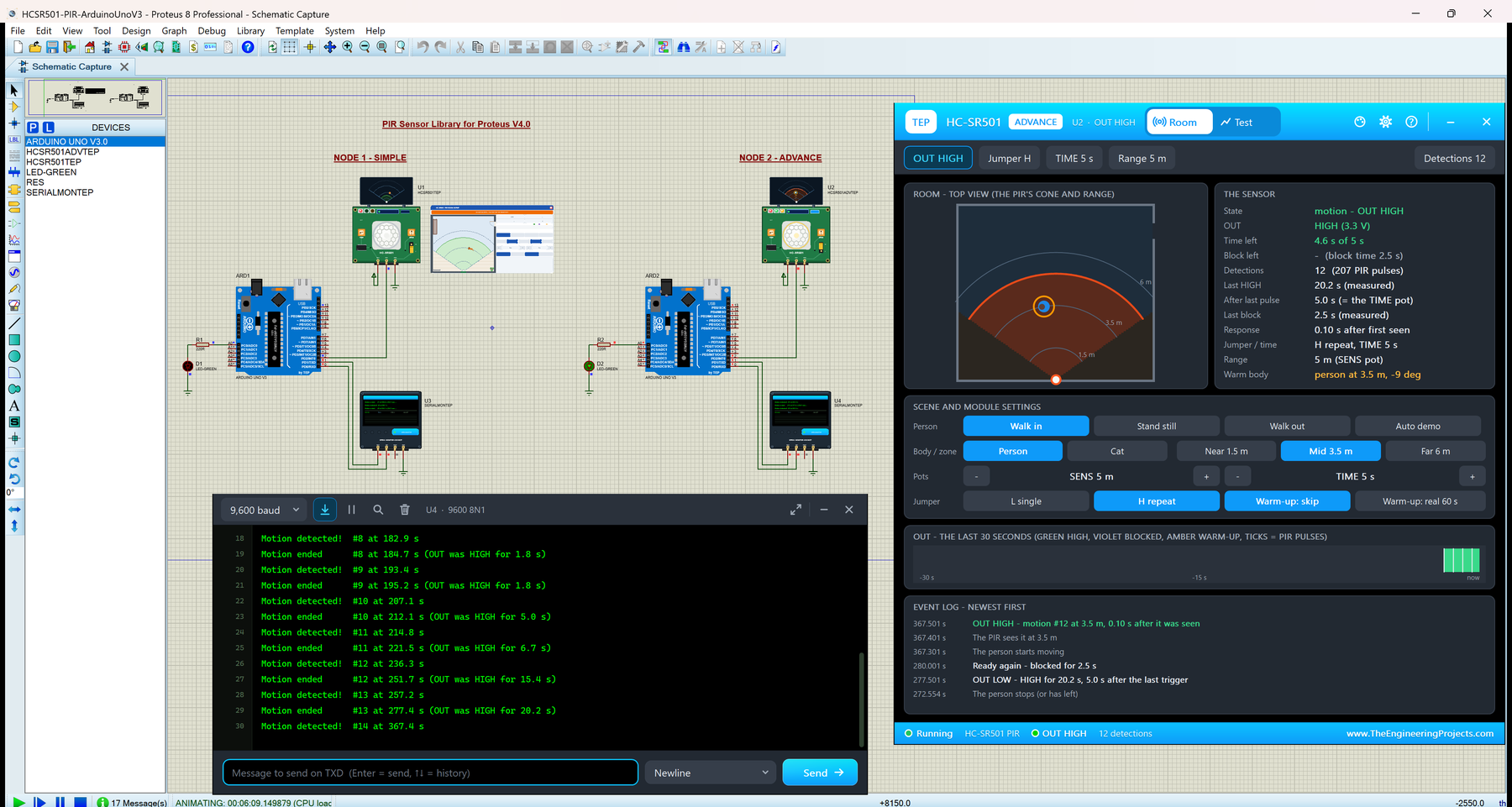
Hello friends, I hope you all are doing great. Today, I am going to share the new PIR Sensor Library for Proteus V4.0. The HC-SR501 is a very popular PIR motion sensor module: a green board with a white dome that switches its OUT pin HIGH when a person or an animal moves in front of it. You find it in motion-activated lights, alarms and automatic doors. With this PIR Sensor Library for Proteus, a person or a cat walks through a room on your schematic, and your Arduino reads the OUT pin exactly as it reads a real HC-SR501. Version 4.0 is the next version of our PIR sensor library. You get two devices: HC-SR501 Simple, with a room scene on the schematic, and HC-SR501 Advance, with a pop-up window and four measured sensor test tools. The model has the time delay, the H / L jumper, the block time and the warm-up of the real module, the board is animated, and the new PIR sensor Arduino Proteus demo runs on two Arduino UNOs with a motion lamp and a warm-up guard, shown in the compact Simple interface of our TEP Serial Monitor. NOTICE: This library is very special to our team. Our HC-SR501 model has the BISS0001's trigger logic with the time delay, jumper H and L, the block time and the warm-up with its false pulses, and a PIR that sees only a moving warm body inside its 110 degree cone and its range. It took our team a lot of hard work, many test runs and many design changes. Your feedback is the fuel that keeps us going, so please tell us what you think in the comments below or in ...
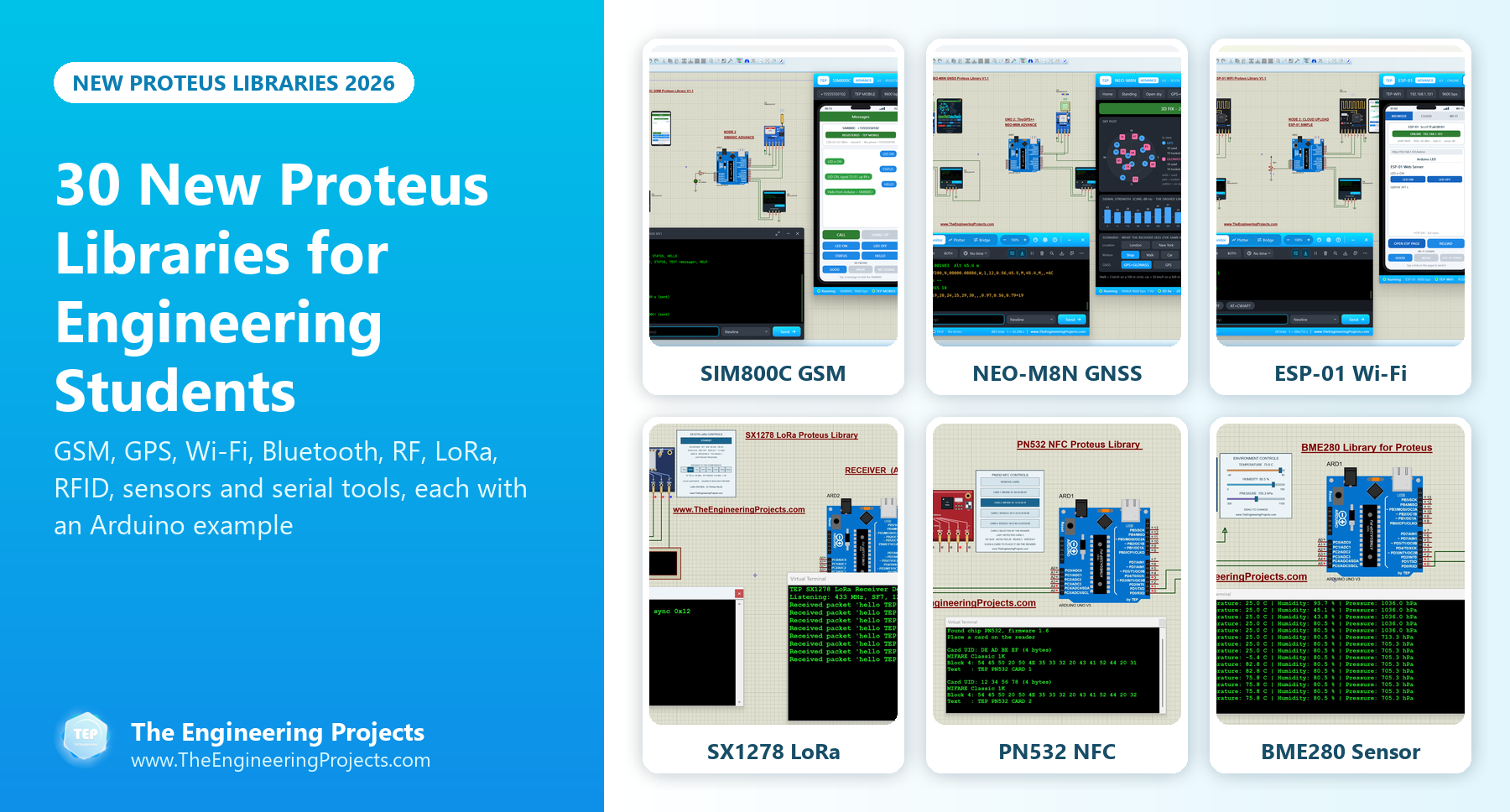
Hello friends, I hope you all are doing great. Today, I am going to share a list of 30 New Proteus Libraries for Engineering Students. Our team designed all of these libraries in September and October 2026, and they cover GSM and GPS modules, Wi-Fi and Bluetooth modules, RF and LoRa radios, RFID and NFC readers, I2C sensors and two serial monitor tools. I have already shared them one by one in separate tutorials, so today I have collected all of them in a single post, so you can find the right one for your project quickly. These are not the simple symbols of our older libraries. Each new library is a working simulation model: the GSM and Wi-Fi modules answer real AT commands, the radios measure their signal strength over a distance that you choose, the sensors have sliders for their inputs, and many devices open a control panel or a virtual smartphone while the simulation is running. Every library also comes with a complete Arduino example, so you can run a working circuit first and then change it for your own project. I have placed the newest libraries at the top of each category. Under each library, you will find a short introduction and a link to its complete tutorial, which explains the module, the installation, the wiring and the Arduino code in detail. If you have never added a third-party library to Proteus before, read How to Add New Library in Proteus 8 first. So, let's get started with the New Proteus Libraries: Here is the complete list of the 30 new libraries. ...