Hello friends, I hope you all are doing great. Today, I am going to share the Raspberry Pi 2 Model B Library for Proteus. The Raspberry Pi 2 kept the shape and the 40-pin GPIO header of the Model B+ and put a quad-core 900 MHz BCM2836 with 1 GB of RAM on it - the board that turned the Pi from a slow single-core computer into a useful one. With this library the board runs your Python program against the circuit in Proteus 8.5. This is the third library of our Raspberry Pi series, and every library of the series connects the Pi to a different module. This time it is the I2C bus with four parts on it: a BME280 for temperature, humidity and pressure, a BH1750 light sensor, an MPU6050 accelerometer and a 0.96" SSD1306 OLED that shows the readings - all read and drawn by one Python program with smbus2, without any sensor library. NOTICE: this library does not run Raspberry Pi OS. It runs your Python program, with the same Python libraries a Pi uses for its pins, in step with the simulation. Your feedback is the fuel that keeps us going, so please tell us what you think in the comments below or in the Raspberry Pi 2 Model B board of our forum. And if our free libraries help you, you can buy us a coffee. So, let's get started with the Raspberry Pi 2 Model B Library for Proteus: The Raspberry Pi 2 Model B came out in February 2015 at the same 35 dollars as the boards before it. On the outside it is a Model B+: 85 x 56 mm, rounded corners, four mounting holes, the 40-pin header, four ...
Hello friends, I hope you all are doing great. Today, I am going to share the Raspberry Pi 1 Model B+ Library for Proteus. The Model B+ is the 2014 redesign of the first Raspberry Pi: the same BCM2835 and 512 MB of RAM, but the 40-pin GPIO header every Pi since has kept, four USB ports, a microSD slot and the shape and mounting holes of today's boards. With this library the board runs your Python program against the circuit in Proteus 8.5. This is the second library of our Raspberry Pi series, and every library of the series connects the Pi to a different module. This time it is a 2.8" ILI9341 SPI TFT with a touch screen: a Python program draws a colour dashboard on it and reads the touch controller, and two buttons on the glass switch an LED - with nothing but spidev and RPi.GPIO. NOTICE: this library does not run Raspberry Pi OS. It runs your Python program, with the same Python libraries a Pi uses for its pins, in step with the simulation. Your feedback is the fuel that keeps us going, so please tell us what you think in the comments below or in the Raspberry Pi 1 Model B+ board of our forum. And if our free libraries help you, you can buy us a coffee. So, let's get started with the Raspberry Pi 1 Model B+ Library for Proteus: The Raspberry Pi 1 Model B+ came out in July 2014 at 35 dollars, as the final form of the first-generation Pi. Its processor did not change - a Broadcom BCM2835 with a 700 MHz ARM11 core and 512 MB of RAM - but almost everything around it did. The ...
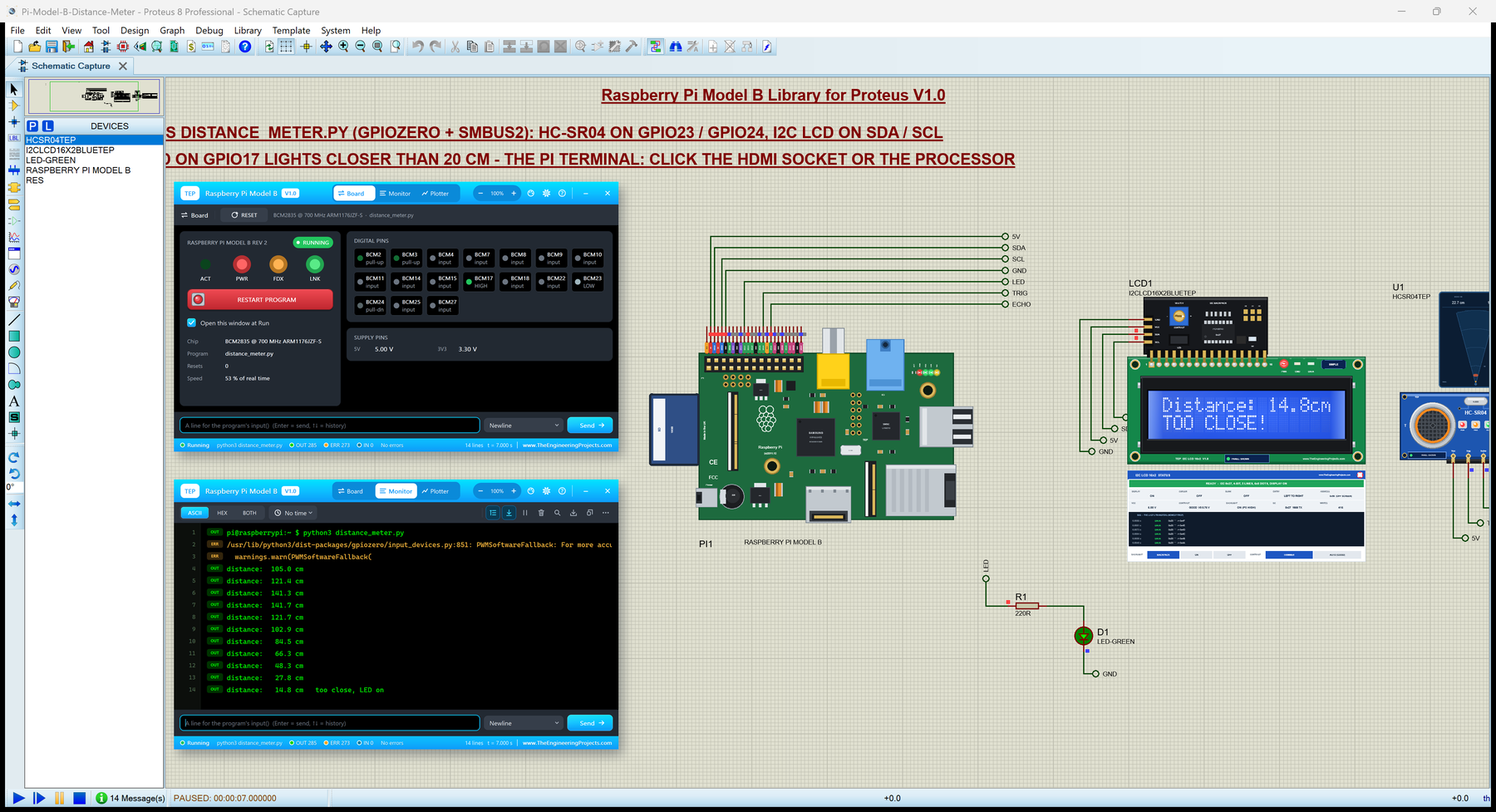
Hello friends, I hope you all are doing great. Today, I am going to share the Raspberry Pi Model B Library for Proteus. The Raspberry Pi Model B is the board that started it all in 2012: a credit-card sized computer with a 700 MHz BCM2835, 512 MB of RAM, Ethernet and a 26-pin GPIO header. With this library you can test a Pi project in Proteus 8.5: the board runs your Python program against the circuit on the sheet, with RPi.GPIO, gpiozero, I2C, SPI, the UART, 1-Wire and the network. This is the first library of our new Raspberry Pi series. We start with the original Model B and go on, one board per library. In this post we will place the board in Proteus, run two demo programs - an ultrasonic distance meter with an I2C LCD and a weather station with a web page over Ethernet - and see the Pi Terminal, where your program prints its output, reads its input and shows its errors as Python shows them on a Pi. NOTICE: this library does not run Raspberry Pi OS. It runs your Python program, with the same Python libraries a Pi uses for its pins, in step with the simulation. Your feedback is the fuel that keeps us going, so please tell us what you think in the comments below or in the Raspberry Pi Model B board of our forum. And if our free libraries help you, you can buy us a coffee. So, let's get started with the Raspberry Pi Model B Library for Proteus: The Raspberry Pi Model B is a single-board computer made by the Raspberry Pi Foundation for teaching computing. It came out in ...
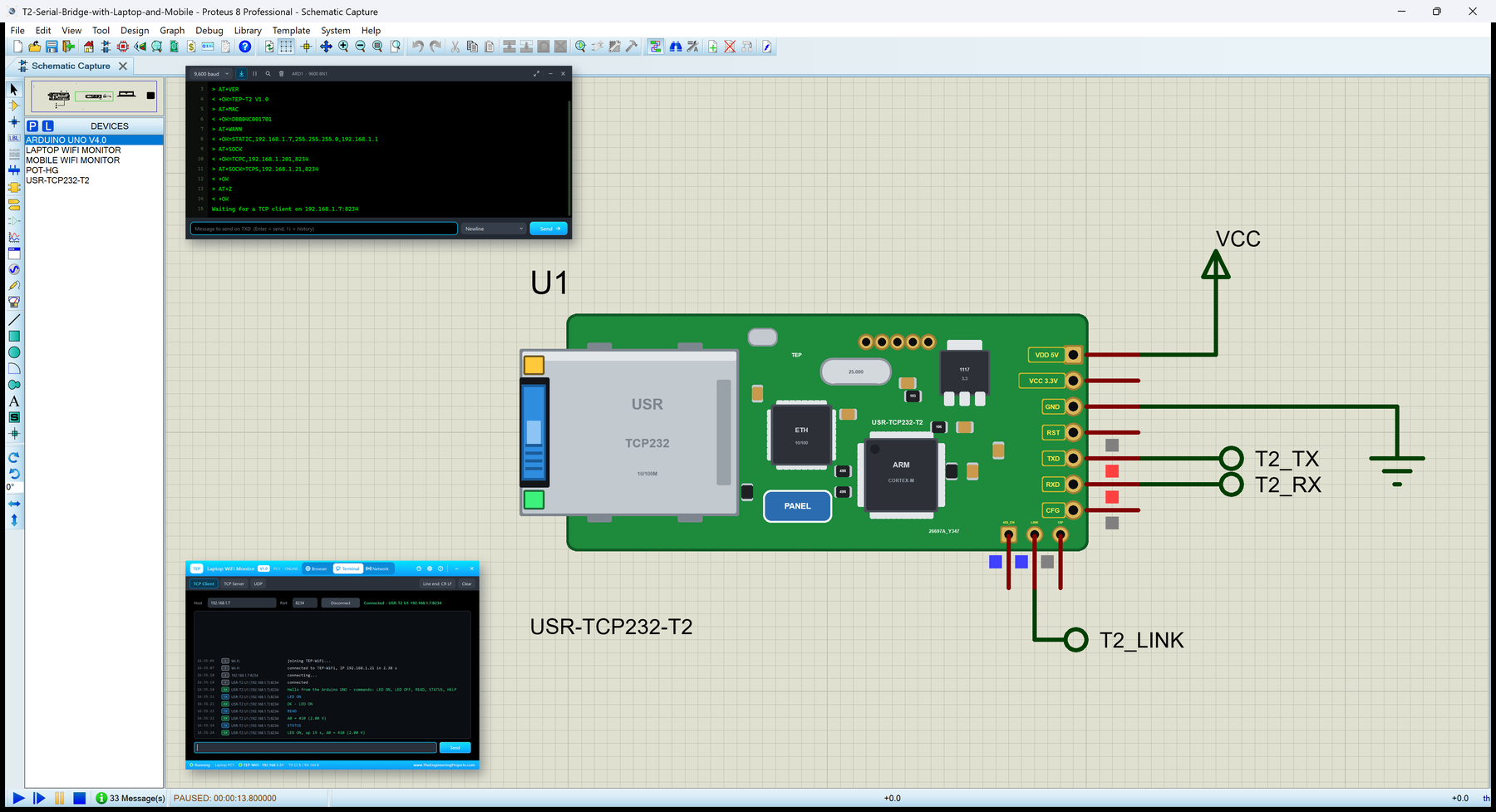
Hello friends, I hope you all are doing great. Today, I am going to share the USR-TCP232-T2 Library for Proteus. The USR-TCP232-T2 from USR IOT is a tiny serial to Ethernet module: a TTL UART on one side, an RJ45 port on the other, and its own firmware in between. Your microcontroller prints to a serial port, and the bytes come out of a TCP connection on the LAN - no Ethernet library, no SPI, no TCP/IP stack on the microcontroller. This is the thirty-seventh library of our Wi-Fi / Ethernet series and the tenth of its Ethernet group. In Proteus the module works as the real one does: transparent mode as a TCP server, TCP client, UDP client or UDP server, the +++ sequence and its AT commands, its status page on port 80, and the LINK pin. The demo is an Arduino UNO that sets the module up with AT commands and then talks to our Laptop WiFi Monitor over TCP, while our Mobile WiFi Monitor opens the module's page. NOTICE: the PANEL pad, the panel and the virtual router are TEP additions. The demo's UNO talks to the module with AltSoftSerial (included), because SoftwareSerial cannot receive in Proteus. Your feedback is the fuel that keeps us going, so please tell us what you think in the comments below or in the USR-TCP232-T2 board of our forum. And if our free libraries help you, you can buy us a coffee. So, let's get started with the USR-TCP232-T2 Library for Proteus: The USR-TCP232-T2 is a serial to Ethernet converter module made by Jinan USR IOT Technology. It is a small green ...
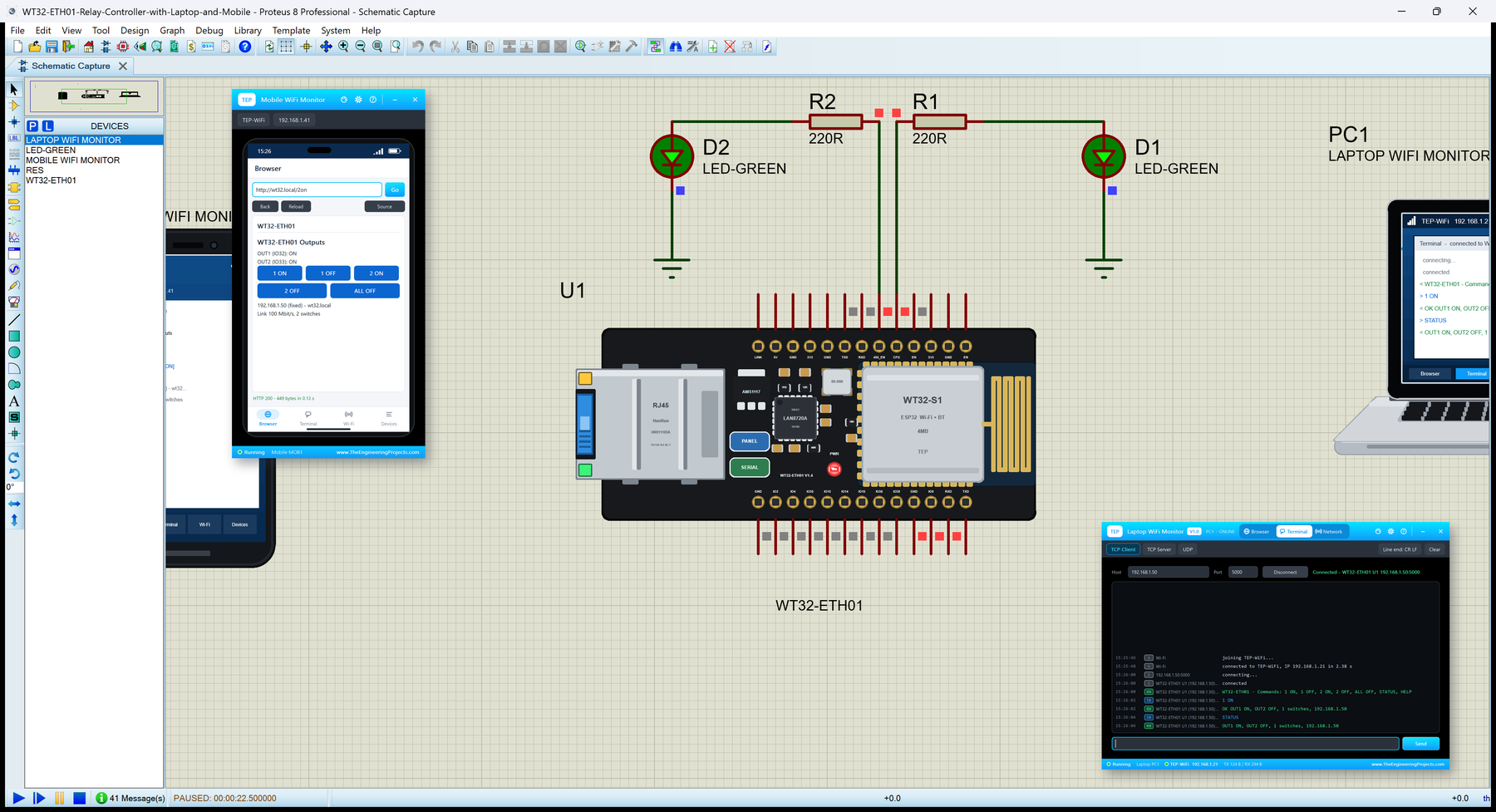
Hello friends, I hope you all are doing great. Today, I am going to share the WT32-ETH01 Library for Proteus. The WT32-ETH01 from Wireless-Tag is a small ESP32 board with wired Ethernet built in: the ESP32 module, a Microchip LAN8720A Ethernet PHY with its 50 MHz oscillator and an RJ45 jack, all on one board of 60 x 26 mm. It is a favourite for relay boxes, gateways and anything that must stay on the network without trusting Wi-Fi. This is the thirty-sixth library of our Wi-Fi / Ethernet series and the ninth of its Ethernet group. In Proteus the board works as the real one does: ETH.begin() needs no arguments, the ETH events arrive as on a real ESP32, and the demo switches two outputs from a web page on our Mobile WiFi Monitor and a TCP terminal on our Laptop WiFi Monitor - at a fixed address, with the cable pulled out and plugged back in. NOTICE: the PANEL and SERIAL pads, the panel and the virtual router are TEP additions. Proteus has no ESP32 model, so our team has put a lot of effort into building this board ourselves; your sketch compiles with our free TEP Boards for Proteus add-on (included). Your feedback is the fuel that keeps us going, so please tell us what you think in the comments below or in the WT32-ETH01 board of our forum. And if our free libraries help you, you can buy us a coffee. So, let's get started with the WT32-ETH01 Library for Proteus: The WT32-ETH01 is an ESP32 board made by Wireless-Tag for wired networks. Its ESP32 sits inside the WT32-S1 module ...
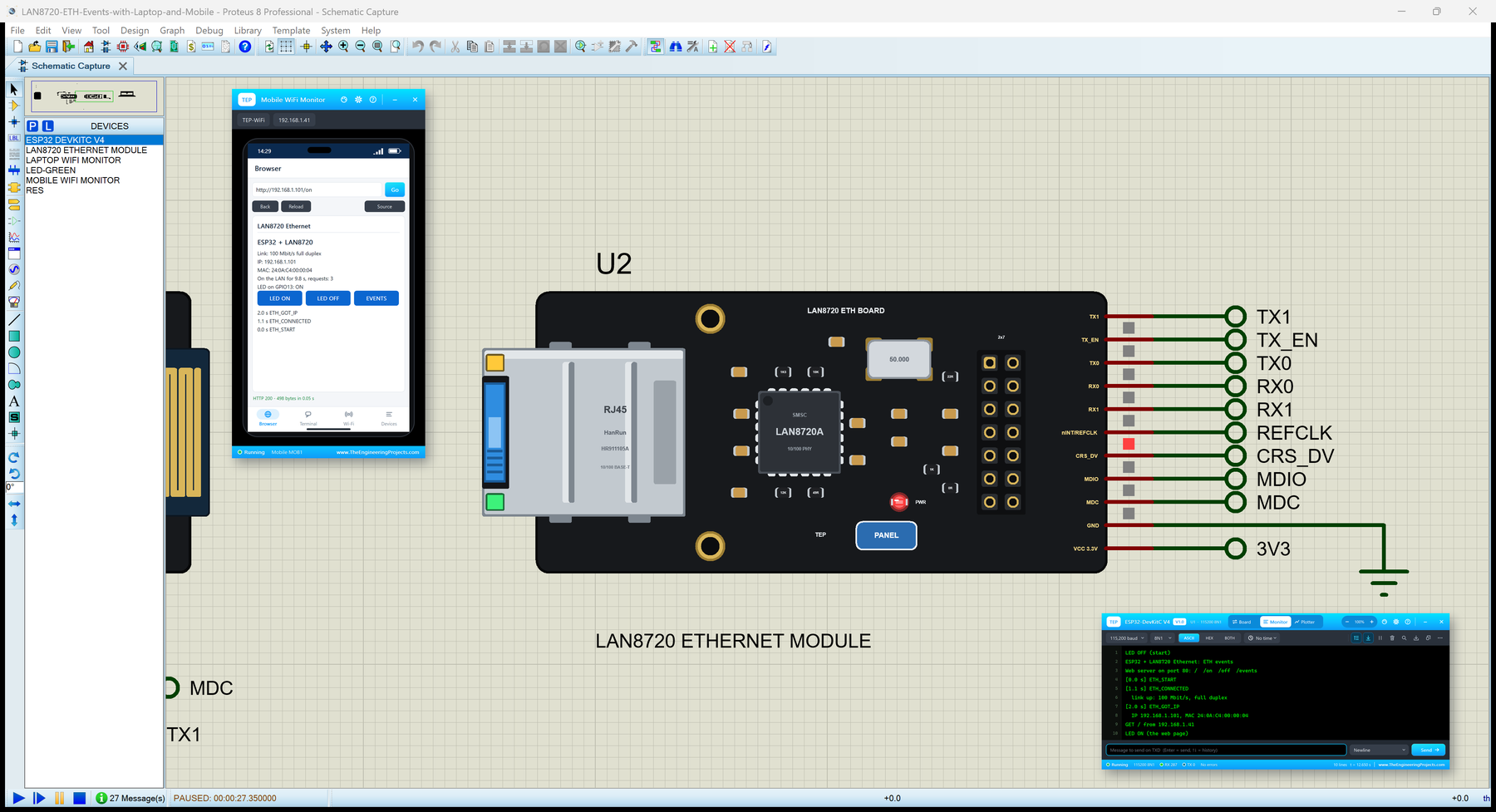
Hello friends, I hope you all are doing great. Today, I am going to share the LAN8720 Ethernet Module Library for Proteus. The LAN8720 module is the cheapest way to give an ESP32 a wired network: a small board with a Microchip LAN8720A Ethernet PHY, a 50 MHz oscillator and an RJ45 jack. The ESP32 already has an Ethernet controller inside, so the module only connects that controller to the cable, and your sketch uses the ETH library instead of WiFi. This is the thirty-fifth library of our Wi-Fi / Ethernet series and the eighth of its Ethernet group, and the first one for the ESP32 boards. In Proteus it works with our ESP32 boards: ETH.begin() finds the module by its wiring, the ETH events arrive as on a real ESP32, and the demo shows them on a web page for our Laptop WiFi Monitor and Mobile WiFi Monitor - with the cable pulled out and plugged back in. NOTICE: the PANEL pad, the panel and the virtual router are TEP additions. Proteus has no ESP32 model, so our team has put a lot of effort into building the ESP32 board ourselves; your sketch compiles with our free TEP Boards for Proteus add-on (included). Your feedback is the fuel that keeps us going, so please tell us what you think in the comments below or in the LAN8720 Ethernet Module board of our forum. And if our free libraries help you, you can buy us a coffee. So, let's get started with the LAN8720 Ethernet Module Library for Proteus: An Ethernet port needs two parts: a MAC, which builds and checks the frames, and a PHY, ...
Hello friends, I hope you all are doing great. Today, I am going to share the Arduino Ethernet Rev3 Library for Proteus. The Arduino Ethernet Rev3 is an Arduino UNO and an Ethernet shield on one board: the same ATmega328P, a WIZnet W5100 Ethernet chip, a micro SD socket and an RJ45 jack where the UNO has its USB socket. With this library it is one part in Proteus: Proteus's own ATmega328P model runs your HEX file, and the W5100 and the card sit on the board's own SPI wiring, as on the real board. This is the thirty-fourth library of our Wi-Fi / Ethernet series and the seventh of its Ethernet group. Its demo is a web file server: the pages and files live on the micro SD card, the sketch serves them to our Laptop WiFi Monitor and Mobile WiFi Monitor, lists the card, switches the board's own L9 LED and writes every request to an access log on the card. NOTICE: the PANEL pad, the panel and the virtual router are TEP additions; the optional PoE module is not simulated (see the limits at the end). The board works with the Ethernet and SD libraries of the Arduino IDE. Your feedback is the fuel that keeps us going, so please tell us what you think in the comments below or in the Arduino Ethernet Rev3 board of our forum. And if our free libraries help you, you can buy us a coffee. So, let's get started with the Arduino Ethernet Rev3 Library for Proteus: The Arduino Ethernet Rev3 is an official Arduino board with the shape and the pins of the UNO, built around the ATmega328P at 16 MHz. ...
Hello friends, I hope you all are doing great. Today, I am going to share the ENC28J60 Nano Ethernet Shield Library for Proteus. The ENC28J60 Nano shield is the smallest way to put an Arduino Nano on a wired network: a long, narrow red board with a Microchip ENC28J60 Ethernet controller, a HanRun RJ45 jack across one end and two header rows the Nano plugs into. Like the ENC28J60 module, the chip only moves Ethernet frames - the TCP/IP stack runs on the Arduino, inside the EthernetENC library. With this library you can wire the shield to your Arduino in Proteus, run EthernetENC sketches unchanged and watch every frame go by. This is the thirty-third library of our Wi-Fi / Ethernet series and the sixth of its Ethernet group. The last post showed the ENC28J60 as a web server waiting for visitors; this one turns it around. The demo is a reporter: the Arduino gets its address from the router, the time from the internet, connects to a TCP server on our Laptop WiFi Monitor and sends it a reading every few seconds - and takes commands back on the same connection. Our Mobile WiFi Monitor opens a status page, and in the end we pull the cable to see the sketch connect again. NOTICE: the PANEL pad, the panel and the virtual router are TEP additions; the regulator's voltage and wake-on-LAN are not simulated (see the limits at the end). The shield works with the EthernetENC library. Your feedback is the fuel that keeps us going, so please tell us what you think in the comments below or in ...
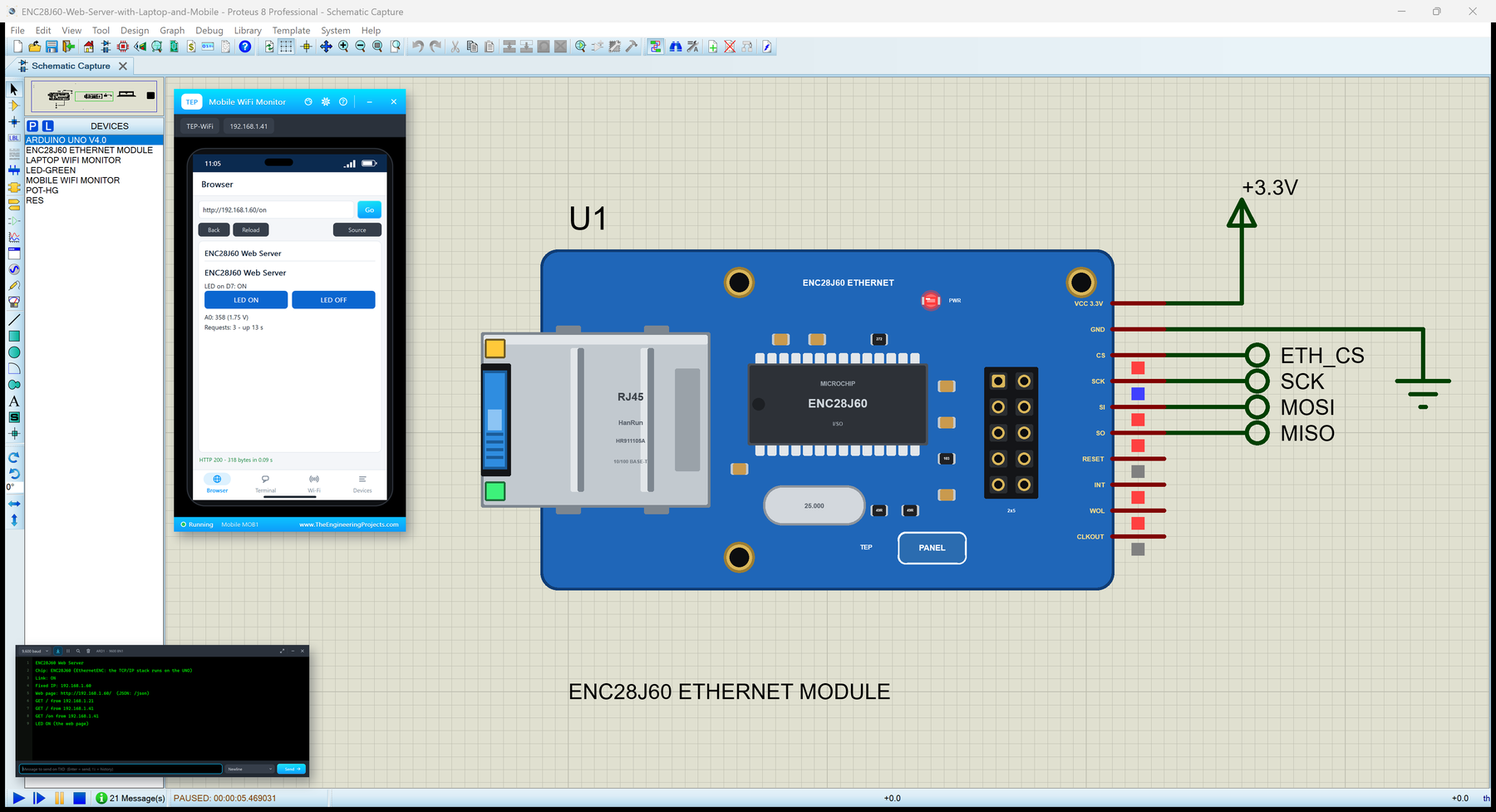
Hello friends, I hope you all are doing great. Today, I am going to share the ENC28J60 Ethernet Module Library for Proteus. The ENC28J60 module is the cheapest way to put an Arduino on a wired network: a small blue board with a Microchip ENC28J60 Ethernet controller, a HanRun RJ45 jack and a 2x5 header. Unlike the WIZnet boards, the ENC28J60 knows nothing about TCP or IP - it only sends and receives Ethernet frames. The TCP/IP stack runs on the Arduino itself, inside the EthernetENC library. With this library you can wire the module to your UNO in Proteus, run EthernetENC sketches unchanged and watch every frame go by. This is the thirty-second library of our Wi-Fi / Ethernet series and the fifth of its Ethernet group. Its demo is the classic ENC28J60 project: a web server on a fixed address that switches an LED and shows a reading, opened from our Laptop WiFi Monitor and Mobile WiFi Monitor - and pinged, and tested with a broadcast the chip refuses. NOTICE: the PANEL pad, the panel and the virtual router are TEP additions; the CLKOUT clock and wake-on-LAN are not simulated (see the limits at the end). The module works with the EthernetENC library. Your feedback is the fuel that keeps us going, so please tell us what you think in the comments below or in the ENC28J60 Ethernet Module board of our forum. And if our free libraries help you, you can buy us a coffee. So, let's get started with the ENC28J60 Ethernet Module Library for Proteus: The ENC28J60 is a stand-alone Ethernet ...
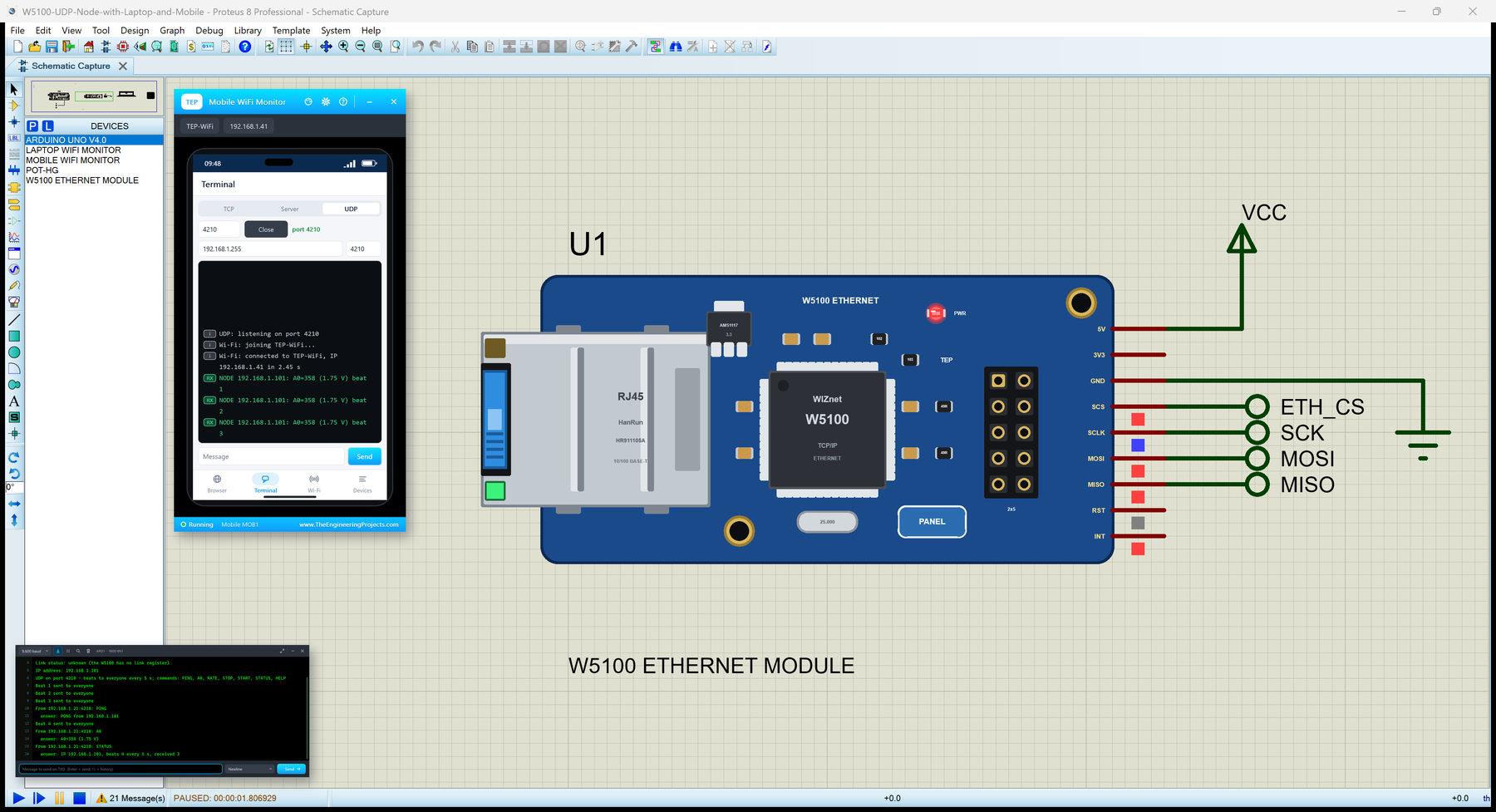
Hello friends, I hope you all are doing great. Today, I am going to share the W5100 Ethernet Module Library for Proteus. The W5100 module is the classic blue Ethernet board for Arduino projects: a WIZnet W5100 - the chip of the original Arduino Ethernet Shield - with a HanRun RJ45 jack, a regulator and a 2x5 header. It takes the TCP / IP work off the microcontroller, and the Ethernet library of the Arduino IDE drives it. With this library you can wire the module to your UNO in Proteus and run those sketches as they are - DHCP, DNS, servers, clients and UDP. This is the thirty-first library of our Wi-Fi / Ethernet series and the fourth of its Ethernet group. Its demo is a UDP node: the UNO broadcasts a short "beat" with its address and a reading to the whole network every five seconds, and answers commands that our Laptop WiFi Monitor and Mobile WiFi Monitor send from their UDP terminals - no connections, just packets. NOTICE: the PANEL pad, the panel and the virtual router are TEP additions; the W5100's raw modes and its interrupts are not simulated (see the limits at the end). The module works with the Arduino Ethernet library. Your feedback is the fuel that keeps us going, so please tell us what you think in the comments below or in the W5100 Ethernet Module board of our forum. And if our free libraries help you, you can buy us a coffee. So, let's get started with the W5100 Ethernet Module Library for Proteus: The W5100 Ethernet module is a small board around the WIZnet ...